Email marketing for Shopify
Turn on email in one click. Pay what it costs us.
Mailpilot sets up the emails every store needs, writes you a new one every Monday and shows you what to fix next. You pay $10 a month plus $0.15 per 1,000 emails. Your contacts are free.
Coming soon to theShopify App Store
Questions? support@trymailpilot.com- Contacts are never billed
- Your first Monday email waits for your yes
- Undo on every change we make
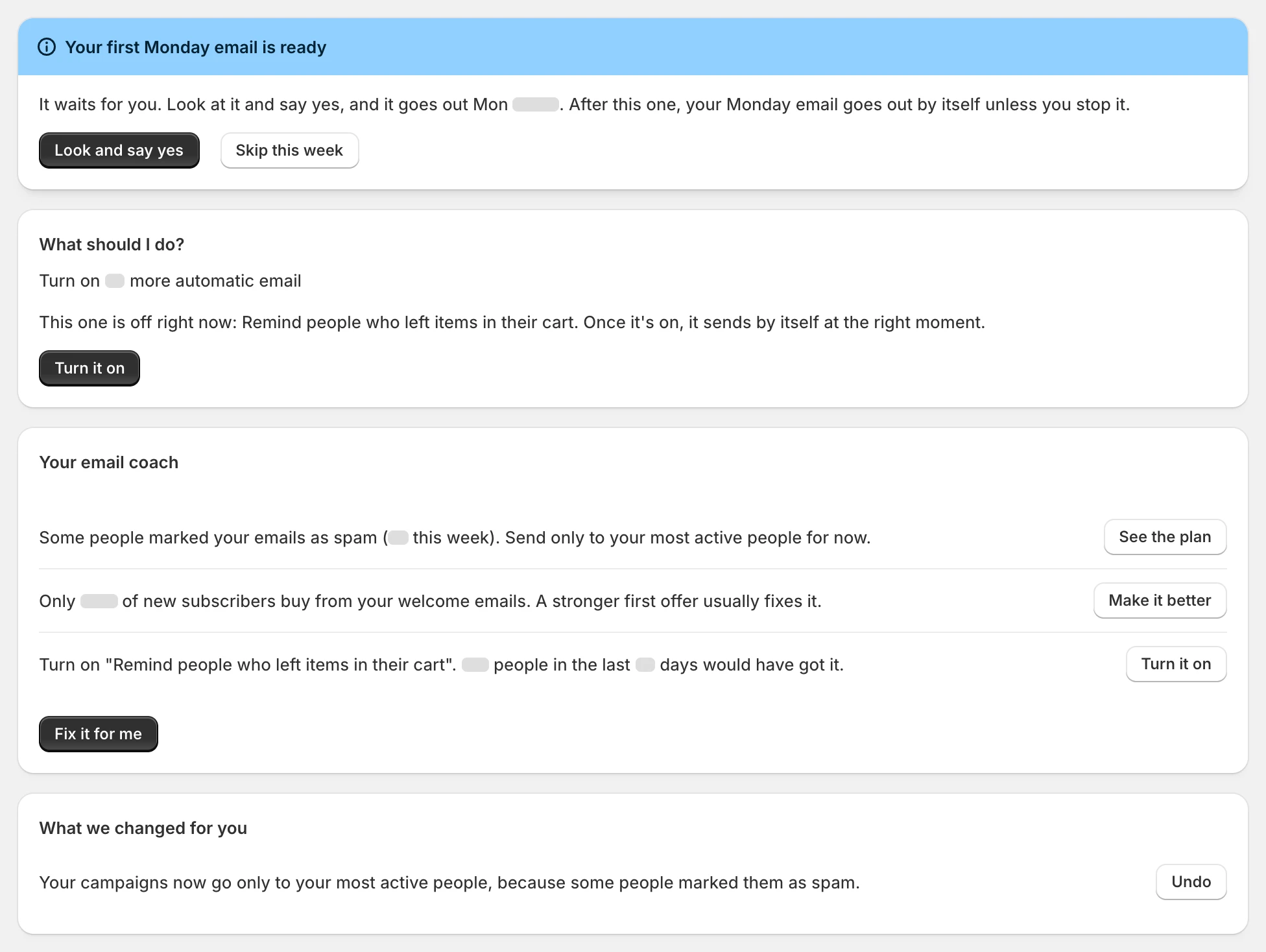
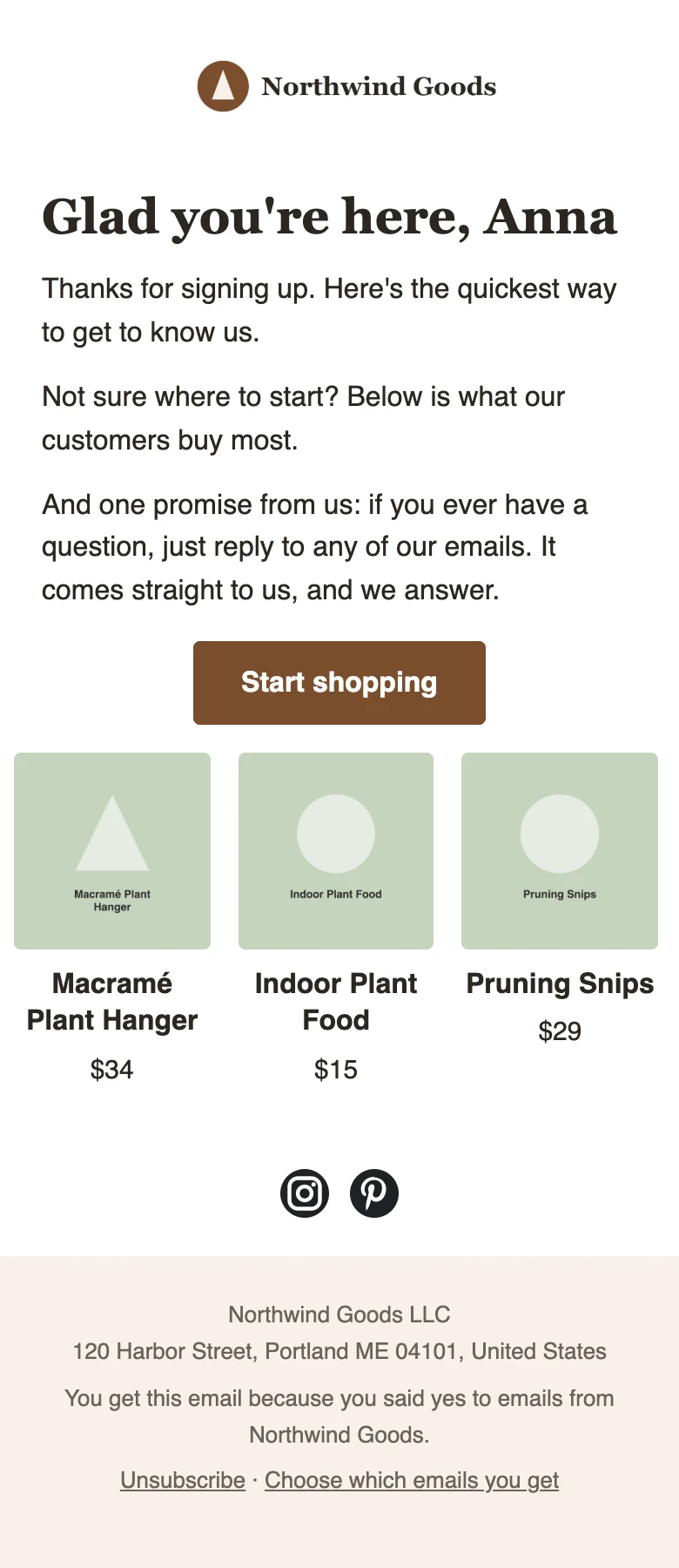
Screens from our demo store. Grey bars hide demo numbers, so nothing here passes for a real store's results.
Two kinds of store. One app.
You want the basics working tonight.
Turn on the 6 emails every store needs in one click. They're already written, in your colors, with your products. A coach tells you what to do next.
See what you get Already sending emailYou're tired of paying for every contact.
Using another email app? Bring your people with a file. Paste your old emails and your own Claude rewrites your automatic emails in your words. Then pay per email you send, at cost.
See what you'd paySame app as you grow. Start simple, then open the advanced tools and connect your own Claude when you want more.
Ready-made automatic emails
The emails every store needs. Already written.
People look, add to cart and leave. The emails that bring them back are much the same in every store, so we wrote them. Each one fills in your logo, colors and products, in 9 languages.
Turn on all 6 with one click. The reminders stop by themselves the moment someone buys.
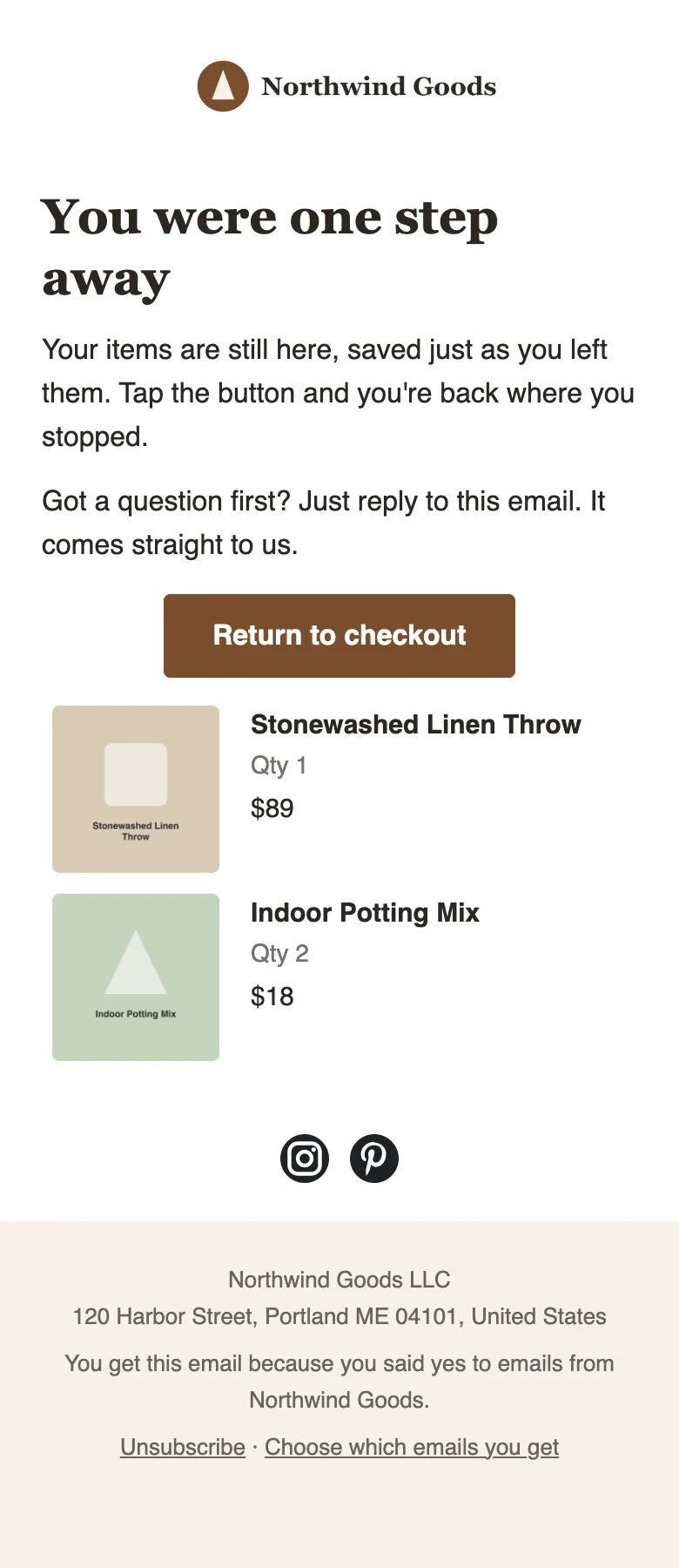
Remind people who left checkout
For people who leave checkout. Sends up to 3 reminders over 2 days and stops the moment they buy.
Welcome new subscribers
For new subscribers. Sends 5 emails over 9 days, starting with a hello and any offer your signup form promised. Stops when they buy.
Thank first-time buyers
For first-time buyers. Says thank you, shows how to use what they bought and what to try next. 4 emails over 3 weeks.
Remind people who left items in their cart
For people who add something to their cart and leave. Sends 2 reminders within a day. Stops when they check out.
Follow up on products people looked at
For people who look at a product and leave. Sends 2 emails about it within 2 days. Never to people who already own it.
Pause people who stopped reading
For people who stopped reading your emails. Asks if they still want them, then stops campaigns to them. Keeps your emails landing in the inbox.
10 more, ready when you are
- Thank returning customers
- Win back customers who stopped buying
- Ask happy customers for a review
- Welcome new VIPs
- Birthday gift
- Tell people when it's back
- Tell people when something got cheaper
- Remind people when it's time to reorder
- Check in before customers drift away
- Nudge customers who are close to VIP
Every week
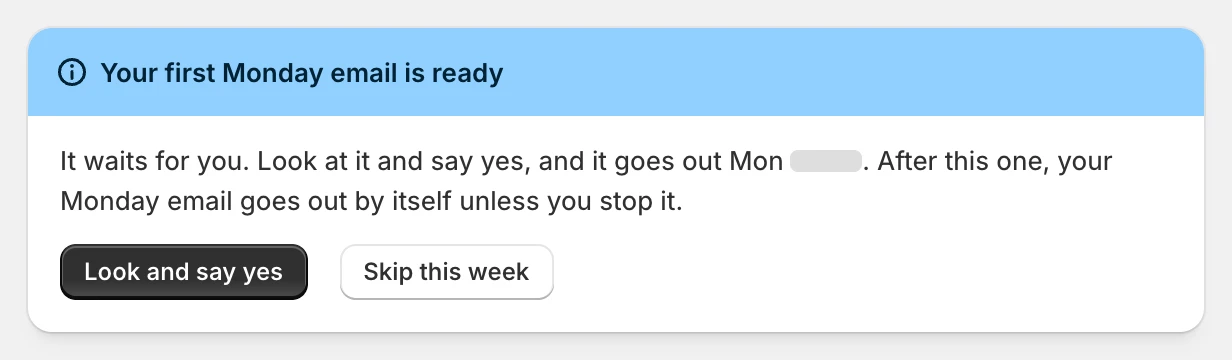
Every Monday, a new email is ready for you.
Mailpilot plans one campaign a week from your own products and writes it. The first one waits for your yes. After that it goes out by itself, and Home shows it a day before, with a button to stop it.
Then a coach tells you what to fix next.
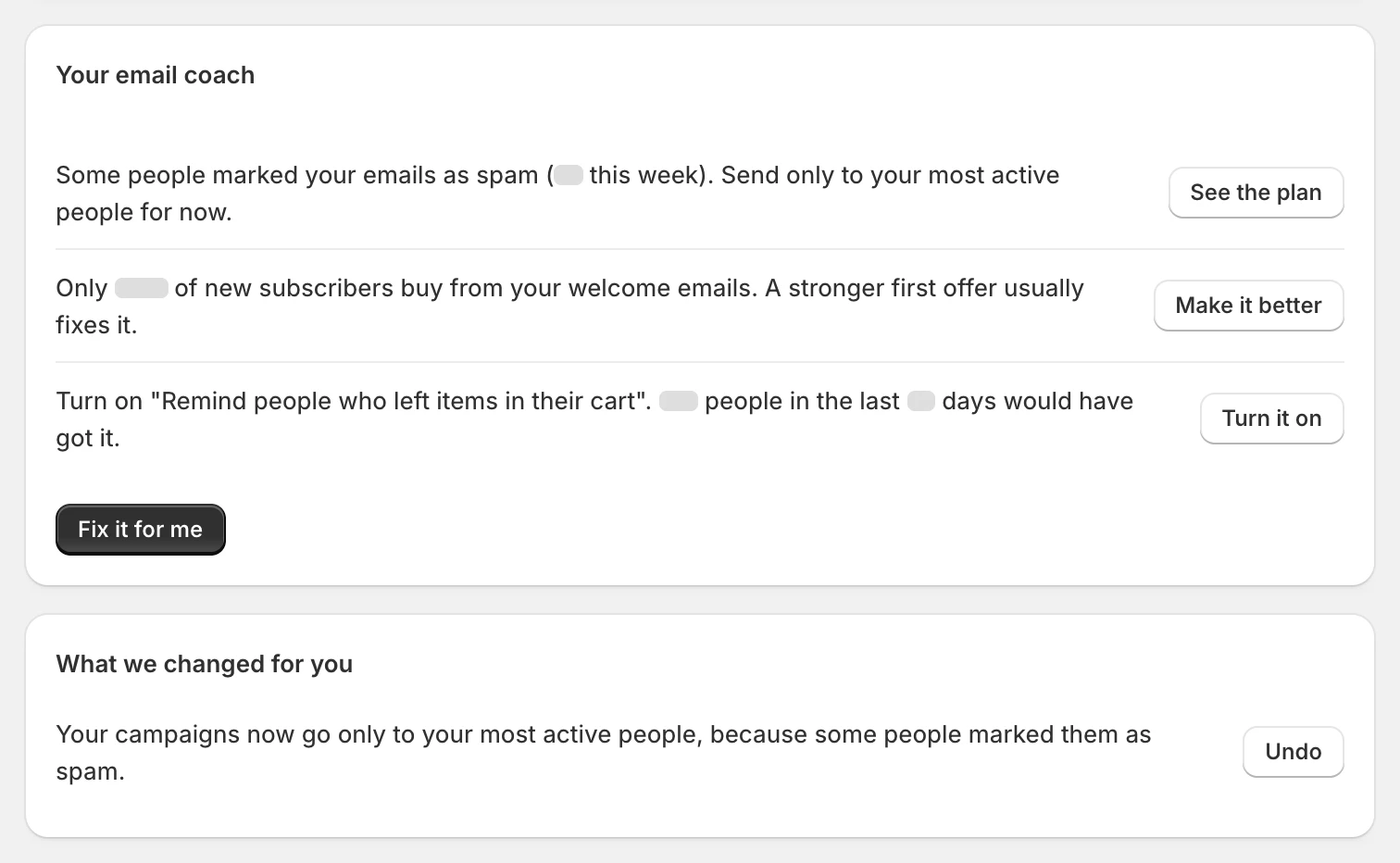
It reads your store and says it in plain words. Turn on cart reminders. Your welcome offer is too weak. Send only to your most active people for now. Click Fix it for me, or do it yourself. Every change it makes has an Undo button.
Groups and versions, done for you
Plant buyers get plants. Coffee buyers get coffee.
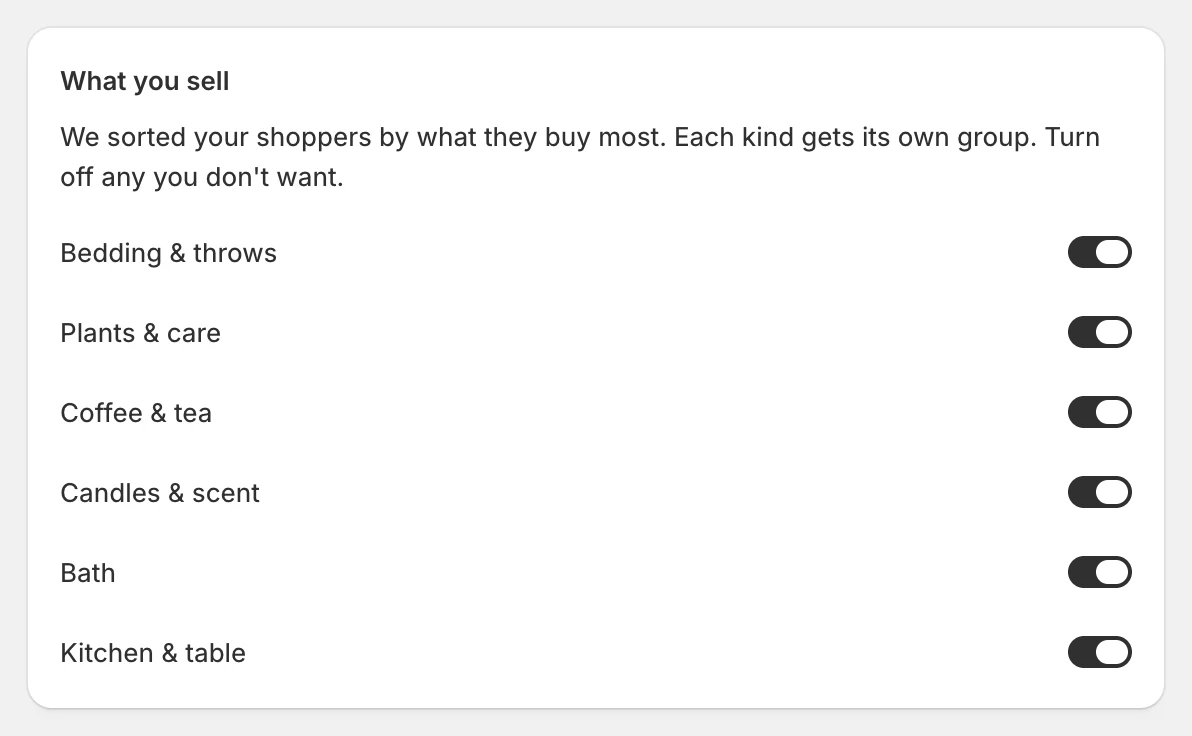
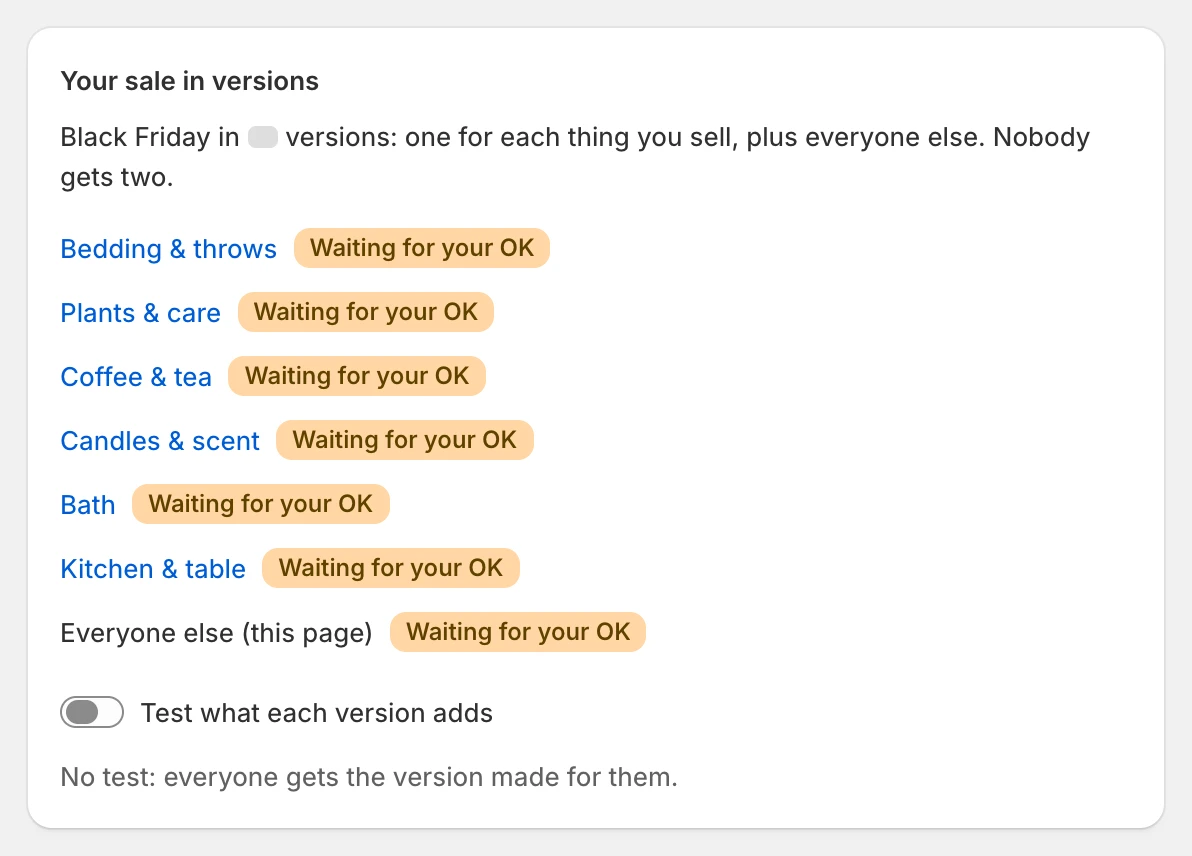
Mailpilot sorts your shoppers by what they buy most, and each kind gets its own group. Your welcome emails get a version for each one. Black Friday too: one sale, a version for each thing you sell, plus everyone else. Nobody gets two.
Your photos are already there
Your product photos and Shopify Files show up in the email editor. Search, click, done.
Signup popups that look like your store
Ready-made signup popups and back-in-stock alerts in your colors.
Winners picked on sales
A/B tests pick the winner on clicks and sales, never on opens.
Cost next to sales
Every automatic email and campaign shows what it cost you and the sales it brought back.
Optional
Use Claude? Let it do the agency work.
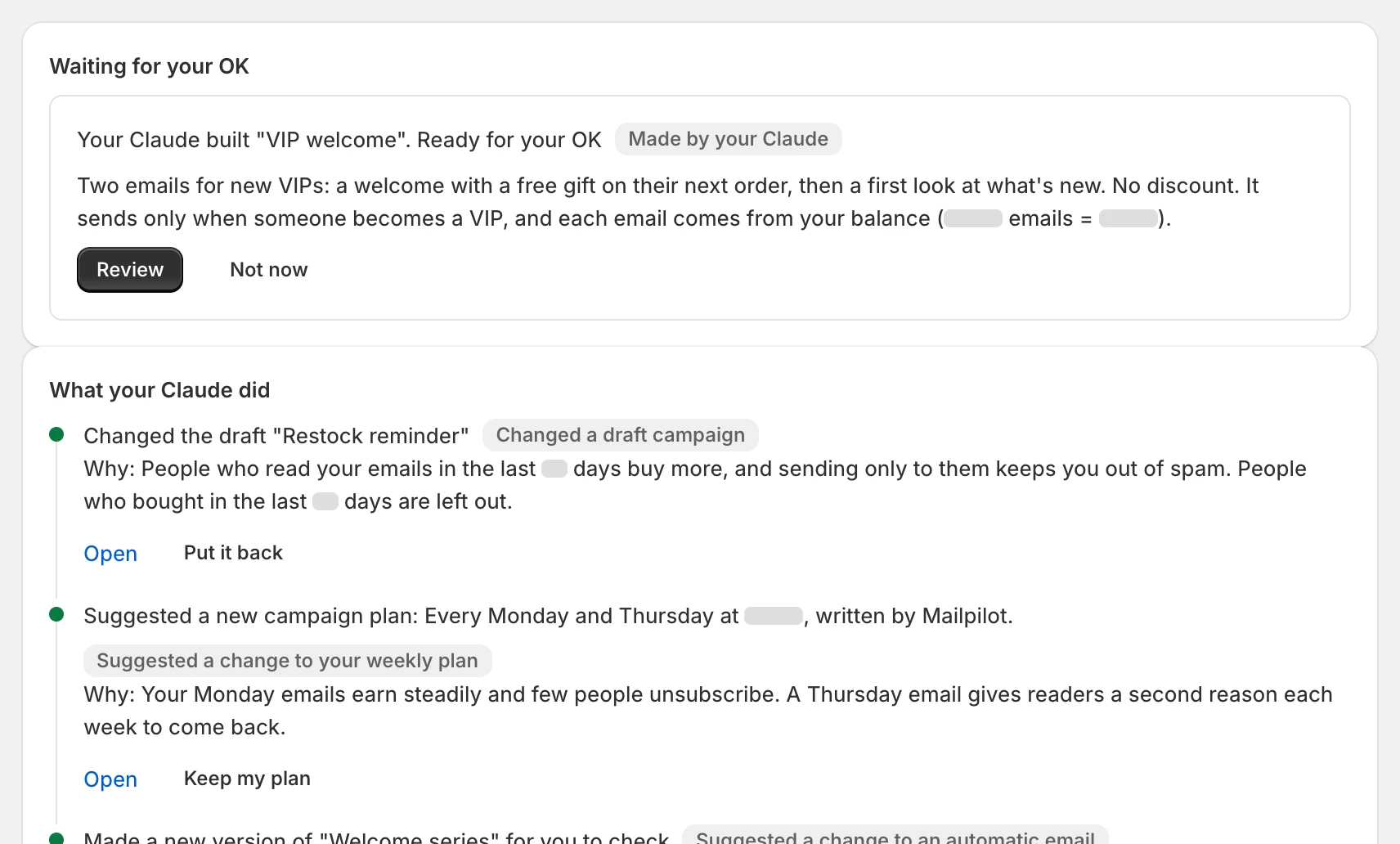
Connect your own Claude, or add your own Claude key in the app. It builds drafts, reads your results and suggests what to test next. Nothing goes live without your OK, and each change can be put back.
No Claude? You don't need it. Everything else on this page runs on ready-made templates, with no AI at all.
Price
We charge what sending costs us.
One plan. No tiers, and no bill that jumps when your list grows.
$10a month
+ $0.15 per 1,000 emails you send
Contacts: free, however many you have
- Every ready-made automatic email, campaign, signup form and A/B test
- The Monday email and the coach
- Send from your own domain, or from ours until yours is ready
- The first 14 days of the plan are free
Example: 20,000 emails in a month cost $10 + $3 = $13.
Where your $0.15 goes
- $0.10
- What Amazon charges us to send 1,000 emails
- $0.05
- Servers, open and click tracking, storage and backups
The $10 plan pays for the app. The emails are not where we make money.
How paying works
- You add money to a balance: $30, $50 or $100, or any amount from $10. Shopify shows every charge before you pay.
- Each email comes out of it. Emails that bounce or are marked as spam count as sent.
- We warn you before it runs low. If it runs out, marketing emails wait until you add more. Signup confirmations keep going.
Compare with Klaviyo
Move the slider to your list size. Prices update as you go.
You'd keep about $1,540 a year
Klaviyo's published email plan prices, checked 13 Oct 2026 at klaviyo.com/pricing. Email only: no SMS, no add-ons. Klaviyo moves you up a plan when you send more emails than yours includes. Mailpilot's numbers leave out the free days. If Klaviyo is cheaper for you, this says so.
| Contacts | Emails a month | Klaviyo | Mailpilot | Difference a year |
|---|---|---|---|---|
| 250 | 500 | $0 | $10.07 | $120.84 less with Klaviyo |
| 1,000 | 8,000 | $30 | $11.20 | $225.60 less with Mailpilot |
| 5,000 | 40,000 | $100 | $16 | $1,008 less with Mailpilot |
| 15,000 | 120,000 | $350 | $28 | $3,864 less with Mailpilot |
| 50,000 | 400,000 | $720 | $70 | $7,800 less with Mailpilot |
| 100,000 | 800,000 | $1,380 | $130 | $15,000 less with Mailpilot |
| 150,000 | 1,200,000 | $1,955 | $190 | $21,180 less with Mailpilot |
- You stay in chargeYour first Monday email and every draft wait for your yes.
- Undo on everythingEach change we make is logged with a one-click Undo.
- Blocked stays blockedUnsubscribes and bounces are never emailed again.
- Your own domainSend from your store's name, or from ours until yours is ready.
Questions
Can I install Mailpilot today?
Not yet. Mailpilot is in review for the Shopify App Store. Once it's approved, you install it from there like any Shopify app. Until then, write to support@trymailpilot.com with any question.
I've never done email marketing. Is this for me?
Yes. That's who the simple view is for. Turn on the ready-made emails, say yes to your first Monday email, and follow the coach. You never have to build an email from scratch.
What will I pay?
$10 every 30 days for the plan, after 14 free days. Emails cost $0.15 per 1,000 and come from a balance you add to, starting from day one. Contacts are never billed. Every charge goes through Shopify, and Shopify shows it to you before you pay.
How can emails be this cheap?
We price them at what they cost us: $0.10 per 1,000 to Amazon for sending, and $0.05 for servers, tracking, storage and backups. The plan pays for the app. Klaviyo prices by profiles instead, so its bill grows with your list even when you send the same number of emails.
What happens when my balance runs out?
We tell you before it runs low. If it runs out, marketing emails wait until you add more, then go out. Signup confirmations keep going. Money left on your balance doesn't expire while the app is installed.
Do I need Claude or any AI?
No. The automatic emails, the Monday email and the coach all run on ready-made templates. If you use Claude, connect it or add your own Claude key, and Claude bills you directly. We never charge for AI or take it from your balance.
Will the emails look like my store?
Yes. They use your logo, colors and product photos, and they come in 9 languages. You can change any word or picture in the editor.
Do you send text messages?
No. Mailpilot sends email only.
What if I want to leave?
Remove the app in Shopify. The monthly fee stops. If you come back within 12 months, the money left on your balance is added back.
Who makes Mailpilot?
A small company in Knivsta, Sweden. The company details are at the bottom of this page. Your data is hosted with Amazon Web Services in the EU (Stockholm). The privacy policy lists everyone we share data with.
Coming soon to the Shopify App Store.
Mailpilot is in Shopify's app review now. Have a question before then? Write to us. We answer Monday to Friday.
Email support@trymailpilot.com